CRICKET, SCORED BALL BY BALL.
SportsBuddy is a cricket tournament app that runs the whole event: teams register, fixtures generate, a scorer records every delivery from the boundary, and spectators follow the scorecard live on the web without installing anything. Scoring works offline and syncs when the signal comes back, and the points table with net run rate builds itself as results land.
Most grass-roots cricket in India is still scored on a paper sheet and relayed to a WhatsApp group. That works right up until someone asks what the net run rate is, or which side qualified, or what the bowler's economy was in the fourth over — and then it stops working entirely.
SportsBuddy replaces the sheet with a scorer's screen that understands cricket. Not a generic scoreboard with two numbers on it: wides and no-balls charged correctly, byes and leg byes kept apart from the batter's runs, run outs that ask whether the batsmen crossed, retirements that hold the slot open. The scorecard a spectator opens is the same data the scorer is entering, seconds later.
It is built for the format most amateur cricket is actually played in — short-side box cricket on a five- or six-over quota, with house rules switched on per tournament — while handling full-length club formats the same way.
The scoring engine
What the person with the phone at the boundary actually does, delivery by delivery.
Every delivery, properly
Run buttons for 0 through 6 with dedicated FOUR and SIX, and a SPECIAL RUNS panel for the deliveries that break a simple counter — wides, no-balls, byes, leg byes, overthrows and short runs. Extras stay separated from the batter's own runs, which is the difference between a scorecard and a rough total.
Dismissals that ask the right question
Tap OUT!, pick the dismissal type, and cricket's awkward cases are handled rather than approximated: a run out asks which batsman was dismissed and whether the pair had crossed, so the strike ends up with the right player for the next ball.
Undo the last ball
Tapped four instead of six? UNDO reverses the last delivery and puts the strike, the over count and the bowler's figures back where they were. No restarting the innings to fix a mis-tap.
Offline-first, because grounds have no signal
Deliveries are stored on the device the instant they are scored and sync as soon as connectivity returns. A dead spot at the ground costs you nothing — not an over, not a ball.
Squad changes mid-innings
Change the wicket keeper, replace a fielder, bring on a substitute, or use an Impact Player where the tournament allows it — without leaving the scoring screen or breaking the ball sequence.
Hand the match to another phone
A scorer's battery dies and someone else picks it up. Log in on the second device, open the match under IN PROGRESS, and the screen rebuilds the full live state — score, batters, bowler, history — then carries on from the current ball.
House rules, set per tournament
Amateur cricket is played under local rules, and a scoring app that cannot express them gets overruled by a paper sheet. These are switches on the tournament, not hardcoded assumptions.
Power Ball
The nominated delivery that counts for more. Switch it on for the tournament and the scorer gets it as part of the normal ball flow, with the extras ledger kept straight underneath.
Super Over
A tied match goes to a Super Over rather than to an argument. The round is scored like any other over and persists across a device switch, so a handoff mid-Super-Over does not lose it.
Impact Player
Off by default, on where the tournament wants it. When enabled, the scorer can bring an Impact Player in from the scoring screen during the innings.
Open Squad
For events where sides are not fixed XIs. Turn it on and the squad restriction relaxes to match how the tournament is actually being run.
Overs per side
Set the quota when you schedule the match. Box cricket on five overs a side is a first-class format here, not a full match with most of it left blank.
What everyone watching sees
A spectator opens a link. No account, no install, no app-store detour — which matters when you are sharing a score into a WhatsApp group of eighty people.
Live
The current score, the batters at the crease with their strike rates, the bowler's figures, the required rate — updating within seconds of the scorer's tap.
Scorecard
The full card for both innings: every batter's runs, balls, fours and sixes; every bowler's overs, maidens, runs and economy; the extras broken out; partnerships and fall of wickets.
Overs
The innings over by over, so you can see where the match turned instead of guessing from a final total.
Highlights & Awards
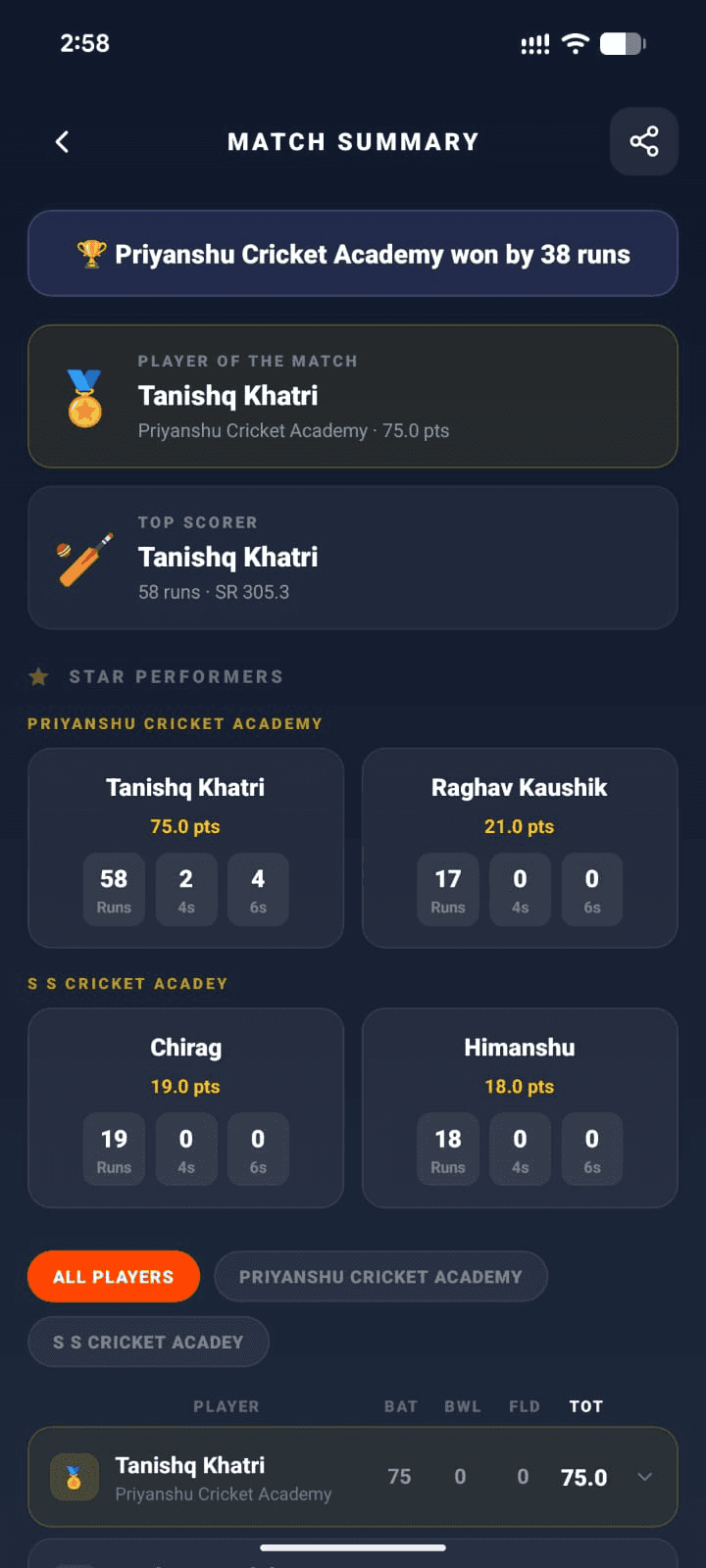
Boundaries and wickets pulled out of the timeline, and the Player of the Match the scorer selected at the end.
Squads
Both sides as they were named for this match, so anyone arriving late knows who is actually playing.
For whoever is running the tournament
The parts that normally eat an organizer's evening.
Points table with net run rate
Standings rebuild themselves as results land, on your tournament's own points-per-win configuration, with net run rate computed automatically — no spreadsheet, no arithmetic argument at 11pm.
Groups and knockouts
Split entries into groups and the site draws one table per group, marks the configured number of qualifiers, and keeps group-stage results separate from the knockout fixtures they feed.
Registrations and squads
Teams register, you approve or reject, and squads are built by the team owners rather than by you retyping names off a WhatsApp forward.
Assign a scorer per match
Hand each fixture to the person who will score it. The match shows up in their assignments; clear it to hand it to somebody else.
A public page for the whole event
Fixtures, live scores, results and standings on one shareable link, so you stop being the person everyone messages for the score.
Written out, step by step
Every step below is transcribed from the real button labels in the app, so you can follow it word for word on the phone in your hand.
- Score a cricket matchToss to result — every keypad option, extras, dismissals, the wagon wheel and a Super Over.
- Assign a scorer to a matchHand a fixture to the person who will score it live.
- Hand a live match to another deviceSwap phones mid-match without losing a single ball or point.
- Create a tournamentThe three-step wizard that sets up your event — identity, then logistics and match settings, then prizes and rules.
- Schedule matches once teams are readyTurn a list of registered teams into a fixture list, one row per match.
- Set your Playing XI (cricket)Pick the eleven, the captain and the wicket keeper before the toss.
- Watch on the website — no account neededShare a link with anyone and they can follow the match in a browser.
CRICKET ANSWERED.
Asked most often about cricket on SportsBuddy. The screen-by-screen version of every flow lives in the step-by-step guides.
Is SportsBuddy a good app for box cricket?
Can SportsBuddy score a cricket match ball by ball?
Does cricket scoring work without internet at the ground?
Does SportsBuddy calculate net run rate automatically?
Can spectators follow a cricket match without downloading the app?
What happens if the scorer's phone dies mid-match?
YOUR SPORT.
YOUR ROLE.
Download SportsBuddy, pick your role, and get started in under 2 minutes. No subscription needed to play.
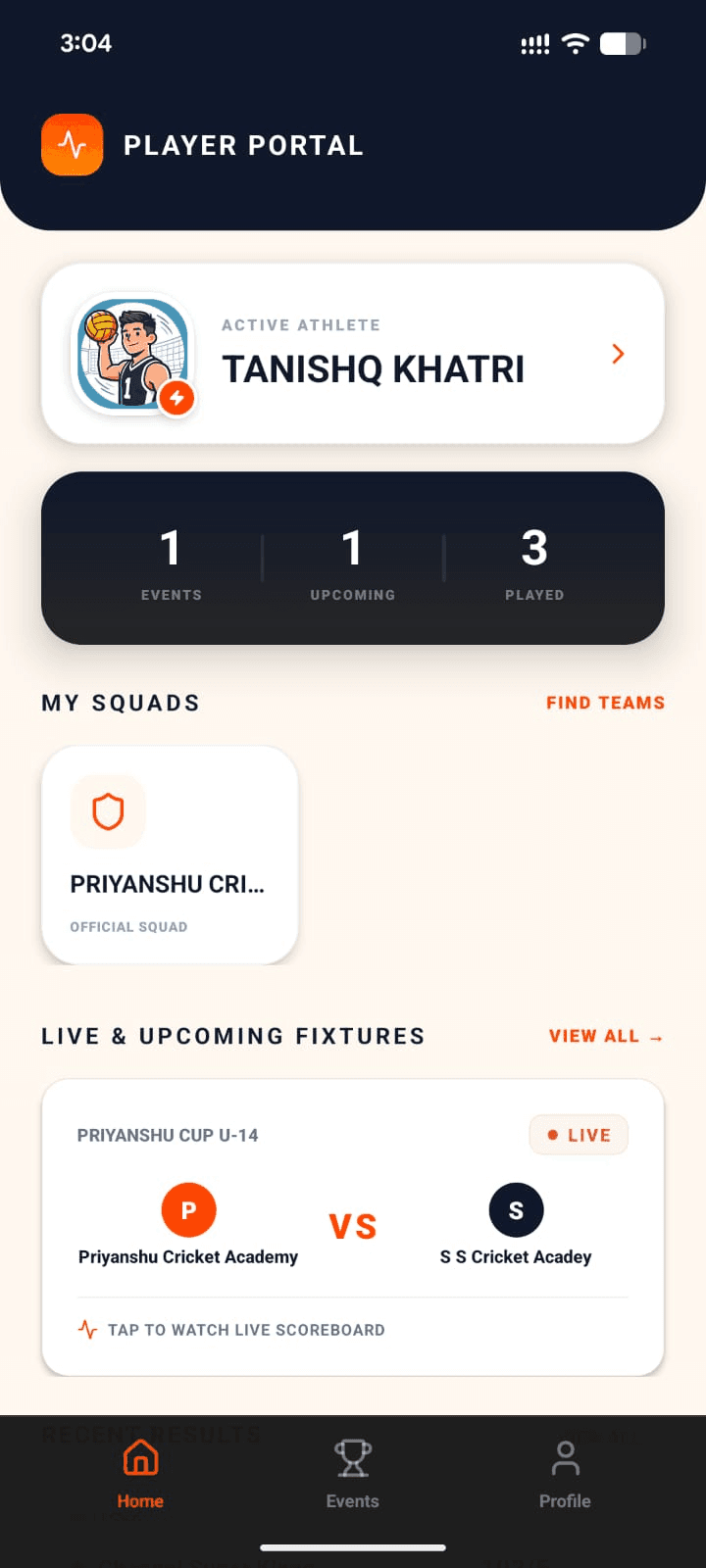
Player
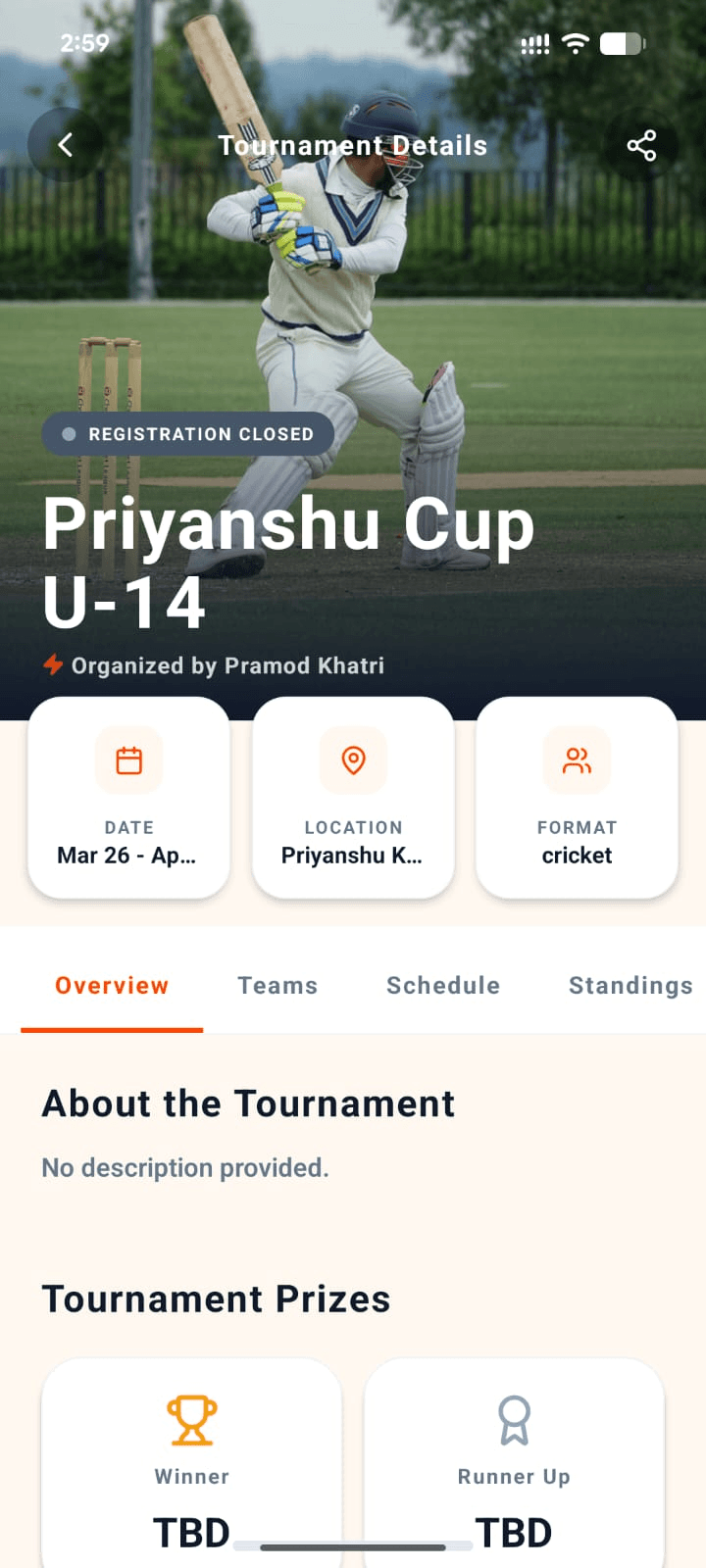
Organizer
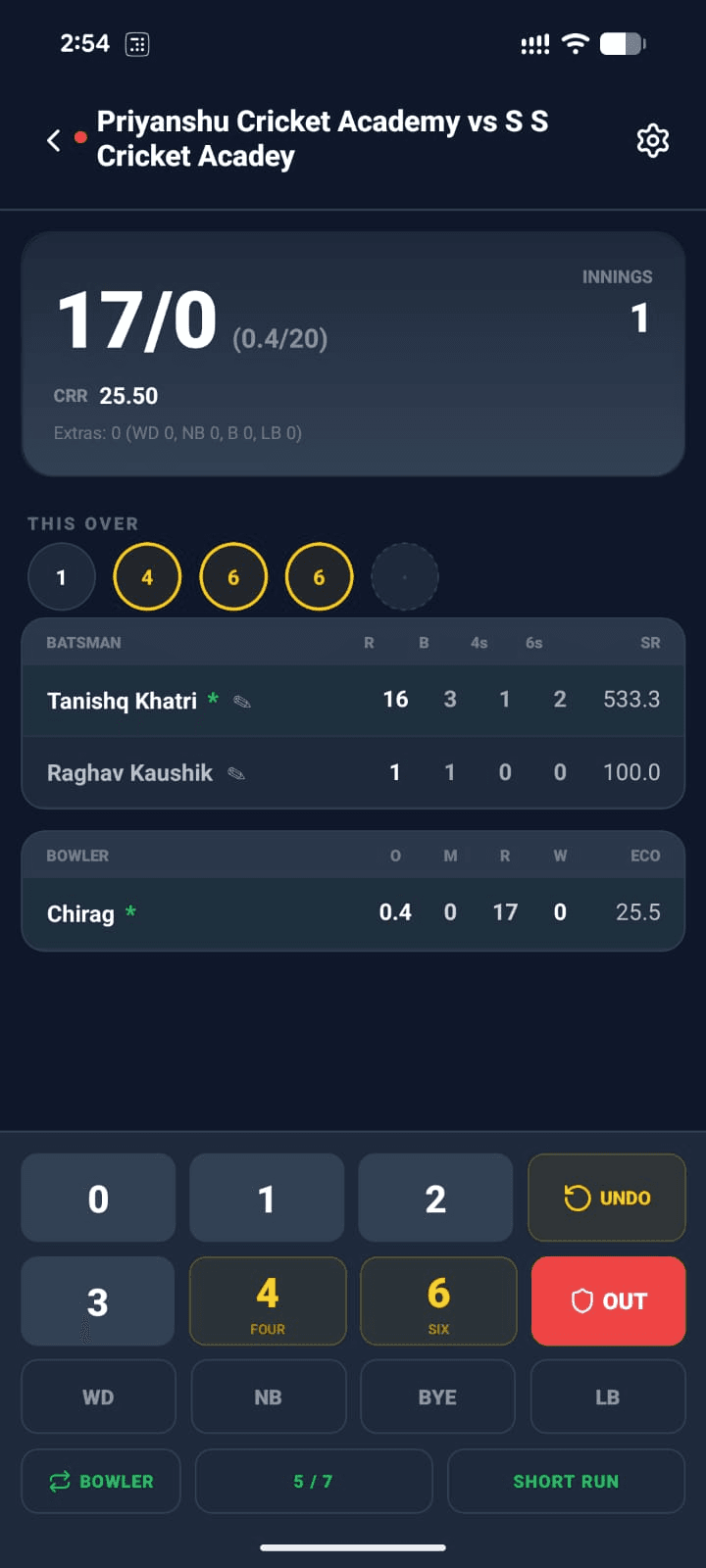
Scorer
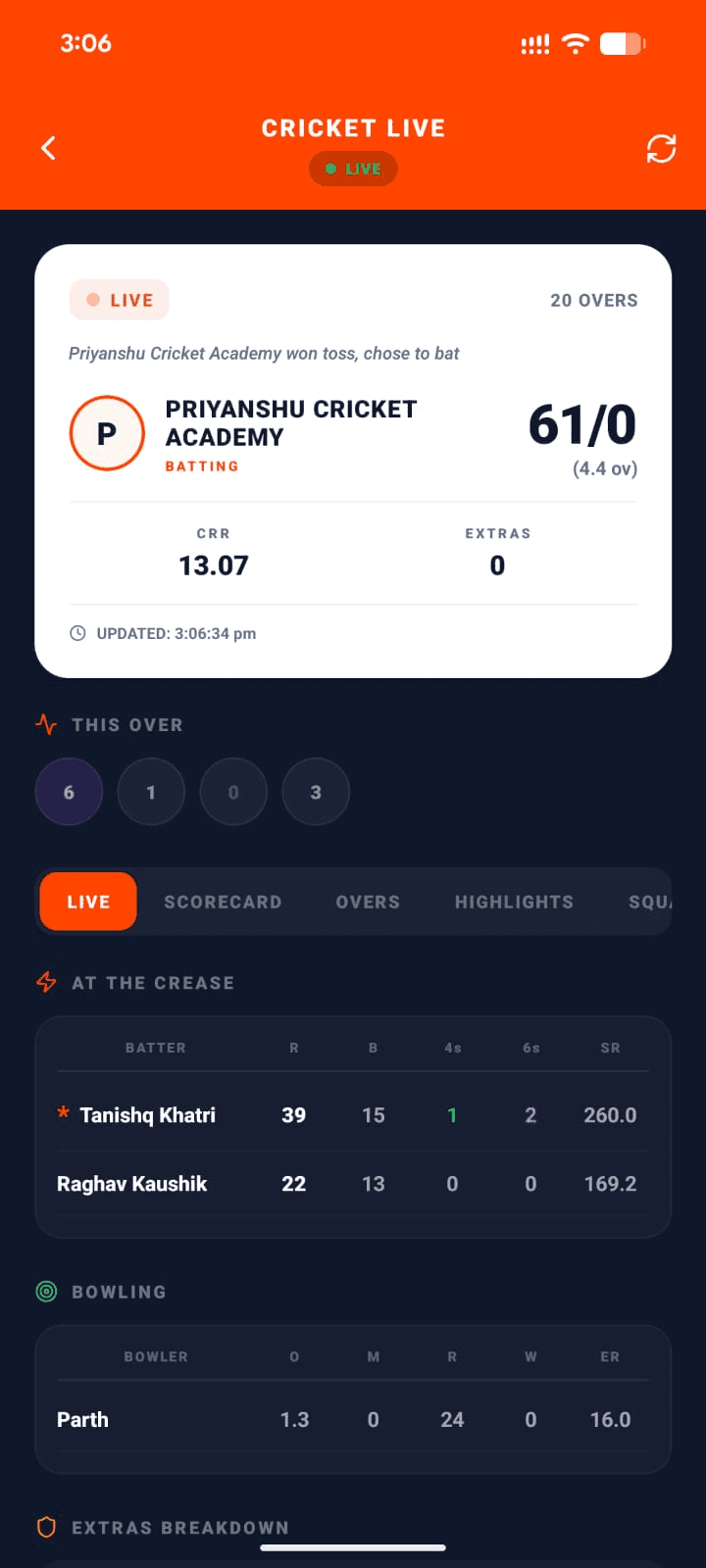
Viewer
Summary
Organizer
Create & run tournaments end-to-end
Team Owner
Manage squad & join tournaments
Player
Build your profile & track stats
Scorer
Score matches live from the field
Viewer
Follow live scores in real-time
Search for "The Sports Buddy" on Google Play or the App Store — that's us.
Just want to watch? Follow live scores on the website →